What you will learn
-
Complete Civil 3D Workflow
-
Hands-On with Real Files
-
Practical Applications in Road & Land Projects
-
Accessible, Global Learning
-
Structured in 10 Progressive Sections
-
Covers Core Infrastructure Design Tools
-
Ideal for Multiple Roles
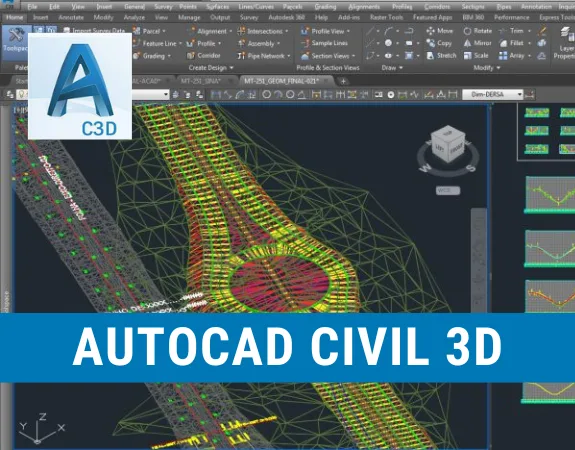
The Autodesk Civil 3D – Road & Surface Design (Fundamentals) course is specially designed for civil engineers, CAD technicians, surveyors, urban planners, and engineering students who want to develop practical skills in civil infrastructure design using Autodesk Civil 3D. Starting from the fundamentals and progressing toward essential design workflows, this course focuses on survey points, coordinate management, terrain surfaces, horizontal and vertical alignments, assemblies, corridors, cross-sections, and earthwork calculations.
Whether you're working as a Civil Engineer, CAD Technician, Surveyor, or Infrastructure Design Engineer for a client, consultant, contractor, or engineering firm, this course is perfect for you. It is also ideal for freelancers, fresh graduates, and professionals aiming to strengthen their technical capabilities in road design, surface modelling, and civil engineering drafting using Autodesk Civil 3D.
Our expert trainers will guide you through the essential tools and workflows of Autodesk Civil 3D with structured, hands-on lessons and practical exercises. You'll gain experience in navigating the software interface, creating and managing survey points and coordinates, developing and editing terrain surfaces, designing horizontal and vertical alignments, preparing surface profiles, creating assemblies and sub-assemblies, developing linear works, generating cross-sections, and calculating earthwork quantities. You'll also receive separate practice files for each lesson, allowing you to follow along with the training and apply your knowledge to practical design tasks.
By the end of this course, you will be able to confidently use Autodesk Civil 3D to develop terrain surfaces, design road alignments, create profiles and assemblies, generate cross-sections, and perform basic earthwork calculations. You'll build a strong foundation in civil infrastructure design and enhance your technical skills, professional opportunities, and earning potential in the civil engineering and AEC industry.
Note: If you're working toward APC, this course can help you claim CPD hours.

Composite Tools - other ways to create alignments
Managing Free Curves and Spirals to Allignment
Creating Allignment from objects
Offset tool for Allignments
Creating Suface Profile
Creating Surface Profile applying Offset

No Discussion Found
5.0
2 Reviews
Adrian Malpaya
5 months ago
This course was fantastic. I really enjoyed the flexibility of this course. Best online experience I've had, building from basic concept to detailed layouts. I learned a lot but some videos are not clear, overall rate is 97%. I will gladly introduce this NOBLEQS online platform to my friends and colleagues. Thanks...

MOHAMMED RAHMATHEEN
10 months ago
IS THIS VERY USEFUL AND THEY ARE GENUINE NOBEL QS IS GREAT THOSE ARE PROVIDING VERY ADORABLE PRICE
Meet Your Instructor

Golgi Alvarez
Land Administration and AEC Specialist
About Instructor
Researcher, writer and rich content creator. More than 25 years working int the Geospatial and AEC industries: -Infrastructure and civil work projects management -CAD / GIS / Surveying & Construction training -Land and Cadastre projects -Land Administration and development projects Golgi Alvarez is the founder of the Geofumadas website, with more than 1.900 articles about CAD, GIS, Surveying, Cadastre, BIM, Digital Twin and other trend topics. The website is over 170.000 visitors per month and 21.000 followers in twitter. Golgi Alvarez is the founder of the TwinGeo magazine, attending on site conferences in USA, UK, Netherlands, Singapore, India, Spain, Mexico, Colombia, Chile, Guatemala and other countries. Golgi Alvarez is the founder of the AulaGEO Academy, with more than 150 courses focused in geospatial, engineering and operation of land and infrastructure projects.
Empty Resources
Resources(47)
Lesson 3 Settings and configuration.zip
Lesson 4 Creating and styling points.zip
Lesson 5 Managing the group points.zip
Lesson 6 Labeling and customizing point styles.zip
Lesson 7 Importing points.zip
Lesson 8 Other tools using points.zip
Lesson 9 Creating surfaces.zip
Lesson 10 Styling surfaces.zip
Lesson 11 Labeling created surfaces.zip
Lesson 12 Surfaces and raster images attach.zip
Lesson 13 Customizing Surface Style.zip
Lesson 14 Editing surfaces.zip
Lesson 15 More tools for surfaces topic.zip
Lesson 16 Composite Tools - other ways to create alignments.zip
Lesson 17 Managing Free Curves and Spirals to Allignment.zip
Lesson 18 Creating Allignment from objects.zip
Lesson 19 Labeling alighments, tables and reports.zip
Lesson 20 Offset tool for Allignments.zip
Lesson 21 Creating Suface Profile.zip
Lesson 22 Creating Surface Profile applying Offset.zip
Lesson 23 Creating and setting Surface Profile.zip
Lesson 24 Adding Profiles to Profile View.zip
Lesson 25 Creating and setting Flush.zip
Lesson 26 Working vertical profiles with labels and bands.zip
Lesson 27 Setting profiles view style.zip
Lesson 28 Editing vertical layout and the profile.zip
Lesson 29 Profiles - presentation.zip
Lesson 30 Editing surfaces - ground modifications.zip
Lesson 31 Editing surfaces - Part 2.zip
Lesson 32 Surface analysis – contours and legend tables.zip
Lesson 33 Surface analysis tools II elevation direction slope and slope arrows.zip
Lesson 34 Assemblies and sub-assemblies part 1.zip
Lesson 35 Creating assemblies and subassemblies – Part 2.zip
Lesson 36 Configuring earthwork properties and corridor surfaces.zip
Lesson 37 Corridor subassembly properties and surface layers.zip
Lesson 38 Creating sampling lines and section views.zip
Lesson 39 Corridor configuration with multiple assemblies.zip
Leson 40 Creating multiple section views.zip
Lesson 41 Adding a linear work in section view.zip
Lesson 42 Linear work surface in section view.zip
Lesson 43 Calculating quantities in section views.zip
Lesson 44 Working with Break Lines.zip
Lesson 45 Importing and Exporting Land XML files.zip
Lesson 46 Working with AutoCAD files in Civil 3D.zip
Lesson 47 Creating and comparing surfaces for cut & fill analysis.zip
Lesson 48 Detailed surface volume analysis with subregion breakdown.zip
Lesson 49 Volume Surface Presentation.zip
$ 40.00
-
Course Duration5 h 50 m 50 s
-
Course LevelMedium
-
Student Enrolled9
-
LanguageEnglish
This Course Includes
- 47 Downloadable Resources
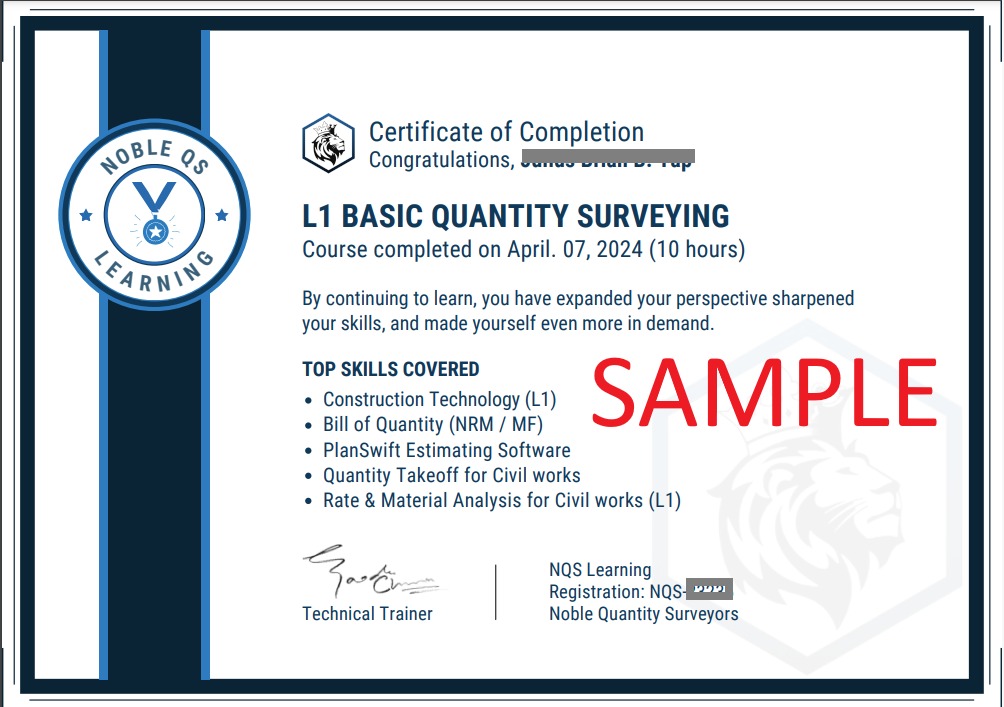
- Certificate of Completion
- Full Lifetime Access
- Resume Review
- Career Counselling
- FAQ Session with Trainer