What you will learn
-
Microsoft Project
-
Risk management in MS Project
-
Baseline in MS Project
-
Planning and scheduling in MS Project
-
Resource allocation in MS Project
-
Cost Management in MS Project
Are you looking to master Microsoft Project for effective project planning, scheduling, and tracking?
Whether you are a complete beginner or someone looking to upgrade your skills, this comprehensive MS Project Training, From Basic to Advanced Level is designed for you.
This course provides step-by-step training on Microsoft Project, starting from the very basics and gradually moving to advanced features. You will learn how to create, manage, and monitor real project schedules, understand dependencies, allocate resources, track progress, and generate professional reports.
Whether you are a project manager, engineer, planner, or student, this course will give you the practical skills you need to handle real-world projects confidently.

Understanding the MS Project Screen
Understanding the MS Project Software
User Interface of Microsoft Project
Backstage View of MS Project
Creating a New Project in MS Project
How to show Project Name in MS Project
Selecting the Project Scheduling Date in MS Project.
Calendar Settings in MS Project
Setting of the General options in MS Project.
Settings of the Display Options in MS Project.
Settings of Schedule Options in MS Project.
Settings of Proofing Option in MS Project.
Settings of Save Option in MS Project.
Settings of Language in MS Project.
Settings of Advanced option in MS Project.
Settings of Customizse Ribbon in MS Project.
Settings of the Quick Access Toolbar in MS Project.
Scheduling & WBS Levels in Project Management (L1–L5)
Schedule Estimation Methods in Project Management
How to Define WBS in MS Project.
How to Enter Activities under the WBS in MS Project.
How to Calculate the Plan duration and how to put it into the MS Project
Critical Path Method in Project Management.
Predecessor and Successor tasks or activities in the Critical Path Method (CPM)
CPM Calculation in the Excel using traditional method.
Linking of Activities using Different Methods in MS Project
How we can change the Relationship types in MS Project
Explanation of Lag and Lead and the usage of Lag and Lead in MS Project
Task Types in MS Project.
Schedule Health Check using DCMA 14 Assessment Points in MS Project
Types of constraints in Project and their use in MS Project Schedule.
Creating Recurring Tasks in MS Project.
Overview of Task Information dialog box in MS Project.
How to add the information using Notes Tab in MS Project.
How to Split a Task in MS Project
Relationship types in Critical Path Method ( CPM)
Cost Estimation Methods in Project Management
Resources List (Manpower, Material, and Machinery ) in MS Project
Calculation of Required Resources for Project Activities.
Overview of Resource Information dialog Box for Available resources and Cost.
Resources Assignment on Activities in MS Project.
Time Line View in MS Project
Team Planner View in MS Project
Resource Usage Report in MS Project
Resource Form Report in MS Project
Task Usage Report in MS Project
Task Form Report in MS Project
Burndown Report in MS Project
Cost Overview Report in MS Project
Project Overview Report in MS Project
Upcoming Tasks Report in MS Project
Work Overview Report in MS Project
Over allocation Report in MS Project
Resource Overview Report in MS Project
Cash Flow Report in MS Project
Cost Overrun report in MS Project
Earned Value Management Report in MS Project
Resource Cost Overview Report in MS Project
Critical Task Report in MS Project
Task Cost Overview Report in MS Project
Slipping Task Report in MS Project
Visual Report Export from MS Project to Excel
Print setting in MS Project and how to convert it into PDF
Import Activities and Duration from Excel to MS Project
Bars Style Settings in MS Project
Driving Predecessors and Driven Successors in MS Project
Roles and Responsibilities in MS project
Interlink Projects to make the Master Project in MS Project.
How to Change Plan Start Date of the Project in MS Project
Identify Risks in Project Management
Analyze Risk / Qualitative &Quantitative Risk Analysis Risk Assessment (Part 1)
Risk Evaluation and Prioritization / Risk Ranking Risk Assessment (Part 2)
Treat The Risk (Risk Mitigation Planning)
Detailed Explanation of Risk Probability of Projects
Monte Carlo Analysis in Project Management
How to Download Full Monte Software from Website
Installation of Full Monte Software and integration with MS Project
Understanding the interface of Full Monte Risk Analysis software
Monte Carlo Simulation in Full Monte Software for Duration Confidence Interva
Overview of Distribution types in Full Monte Software
Duration Risk Analysis using Beta Distribution in Full Monte Software
Cost Risk Analysis using Full Monte Software
Tornado Cost /Cost Sensitivity Analysis using Full Monte Software
Tornado Schedule / Schedule Sensitivity Analysis using Full Monte Software
Tornado Schedule with index report using Full Monte Software
Risk Management Examples in Construction Projects
A Comprehensive Guide to Baselines in Project Management
Baseline Schedule Validation Checklist
How to Set Baseline in MS Project
91.How to Add required Baseline columns for Schedule and Cost comparison
How to update Actual Progress ( Duration & Resources ) in MS Projec
Overview of Report for Analysis after Progress updating

No Discussion Found
4.8
9 Reviews

Edwin Omondi
4 weeks ago
I recently completed Microsoft Project short course by noble qs , which strengthened my ability to plan and schedule projects using Gantt charts, task dependencies, and critical path analysis. The course gave me hands-on experience in resource allocation, progress tracking against a baseline, and generating project reports ,skills directly applicable to managing construction and quantity surveying projects more efficiently.

Engr. Paul Armstell Ahiagbeame
8 months ago
I started out just wanting to get comfortable with Microsoft Project, but this course took me all the way from the basics to advanced techniques. The step-by-step style made everything super easy to follow, and the hands-on exercises gave me the confidence to actually apply what I was learning. Now I can plan projects, build schedules, track progress, and even customize reports like a pro. Honestly, I feel way more prepared to handle complex projects than I did before. Big thanks to Noble QS for putting together such a practical and engaging program — highly recommend it to anyone who wants to level up their project management skills!

Nicole Ingabire
8 months ago
The MS Project course was very informative and well structured. It helped me understand project scheduling, task dependencies, resource allocation, and progress tracking in a practical way. The explanations were clear, and the hands-on exercises made it easier to apply the concepts to real projects. Overall, the course improved my confidence in using MS Project for effective project planning and control.
Meet Your Instructor

Waheed Anwar
Primavera Instructor
About Instructor
As a certified trainer in Primavera P6 and Microsoft Project Professional, I bring over 16 years of hands-on experience in project management, backed by a Master's in Project Management, an MBA, and a Civil Engineering background. Since 2008, I’ve delivered over 400 corporate training sessions across sectors like Construction, Electrical, Mechanical, IT, and Manufacturing. My training is tailored, practical, and results-driven—focused on real-world application and designed to equip professionals with the tools and confidence to manage complex projects effectively. Your success and satisfaction remain my top priority.
Empty Resources
Resources(2)
Supporting Documents.zip
MS PROJECT & MS OFFICE SOFTWARES.rar
$ 25.00 $ 50.00
61 days Left at this Price!-
Course Duration22 h 40 m 18 s
-
Course LevelMedium
-
Student Enrolled22
-
LanguageEnglish
This Course Includes
- 2 Downloadable Resources
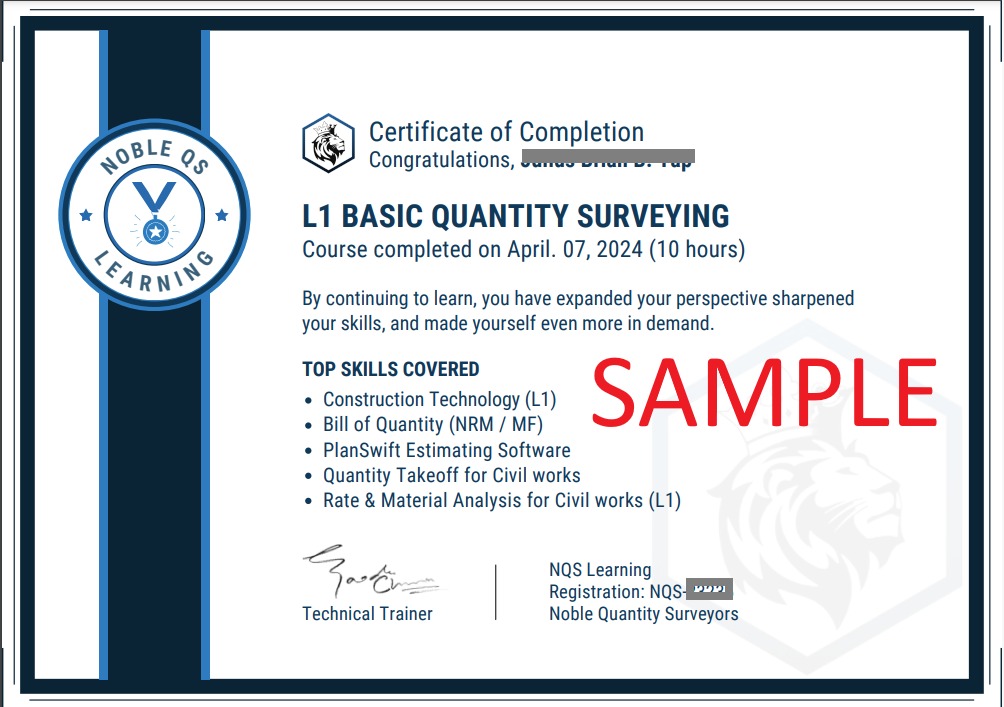
- Certificate of Completion
- Full Lifetime Access
- Resume Review
- Career Counselling
- FAQ Session with Trainer