What you will learn
-
Setting up OpenSite Designer and project files for efficient workflow
-
Working with the Geographic Coordinate System (GCS) for accurate terrain modeling
-
Creating and optimizing connections, such as driveways and access points
-
Using AI-driven tools to review and optimize site designs, enhancing productivity and accuracy
-
Navigating and managing 2D and 3D views in the software
-
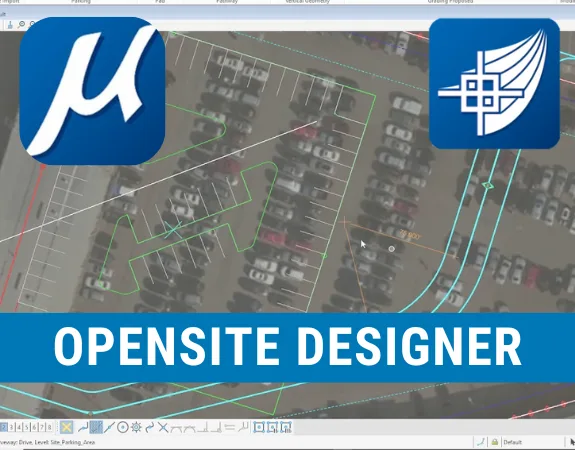
Designing site layouts, including defining boundaries, building footprints, and parking areas
-
Applying advanced grading techniques to achieve precise terrain adjustments
The OpenSite Designer – AI-Powered Terrain Modelling & Site Design course is specially designed for civil engineers, architects, land developers, and engineering students who want to develop practical skills in terrain modelling, site layout design, and advanced grading using OpenSite Designer. Combining essential design workflows with AI-powered features, this course focuses on transforming terrain models, defining site layouts, designing access connections, and optimizing site designs through intelligent design tools.
Whether you're working as a Civil Engineer, Site Design Engineer, Land Development Engineer, or Architect for a client, consultant, contractor, or engineering firm, this course is perfect for you. It is also ideal for freelancers, students, and professionals aiming to strengthen their expertise in terrain modelling, site planning, grading, and AI-assisted civil engineering design using OpenSite Designer.
Our expert trainers will guide you through two structured practical exercises covering the complete workflow from initial software setup to advanced site design optimization. You'll gain hands-on experience in project setup, software navigation, Geographic Coordinate System (GCS) configuration, terrain model creation and editing, 2D and 3D view management, site boundary definition, building footprint layout, and parking area design. You'll also learn to develop driveways, access connections, sidewalks, pathways, and parcels, apply advanced grading techniques, and use AI-powered tools to review, refine, and optimize site designs for improved accuracy and productivity.
By the end of this course, you will be able to confidently use OpenSite Designer to develop terrain models, prepare site layouts, design access connections, create parcels, and perform advanced grading operations. You'll also understand how to integrate AI-driven tools into your design workflow to improve efficiency, accuracy, and design quality. You'll not only enhance your technical capabilities but also strengthen your professional opportunities and earning potential in the civil engineering, land development, and AEC industry.
Note: If you're working toward APC, this course can help you claim CPD hours.


No Discussion Found
0.0
0 Reviews
Meet Your Instructor

Golgi Alvarez
Land Administration and AEC Specialist
About Instructor
Researcher, writer and rich content creator. More than 25 years working int the Geospatial and AEC industries: -Infrastructure and civil work projects management -CAD / GIS / Surveying & Construction training -Land and Cadastre projects -Land Administration and development projects Golgi Alvarez is the founder of the Geofumadas website, with more than 1.900 articles about CAD, GIS, Surveying, Cadastre, BIM, Digital Twin and other trend topics. The website is over 170.000 visitors per month and 21.000 followers in twitter. Golgi Alvarez is the founder of the TwinGeo magazine, attending on site conferences in USA, UK, Netherlands, Singapore, India, Spain, Mexico, Colombia, Chile, Guatemala and other countries. Golgi Alvarez is the founder of the AulaGEO Academy, with more than 150 courses focused in geospatial, engineering and operation of land and infrastructure projects.
Empty Resources
Resources(2)
Lesson 3 Getting started.zip
Lesson 17 Define GCS.zip
$ 40.00
-
Course Duration1 h 58 m 59 s
-
Course LevelEasy
-
Student Enrolled2
-
LanguageEnglish
This Course Includes
- 2 Downloadable Resources
- Certificate of Completion
- Full Lifetime Access
- Resume Review
- Career Counselling
- FAQ Session with Trainer